Follow the first three steps in order, then download the installer in step four.
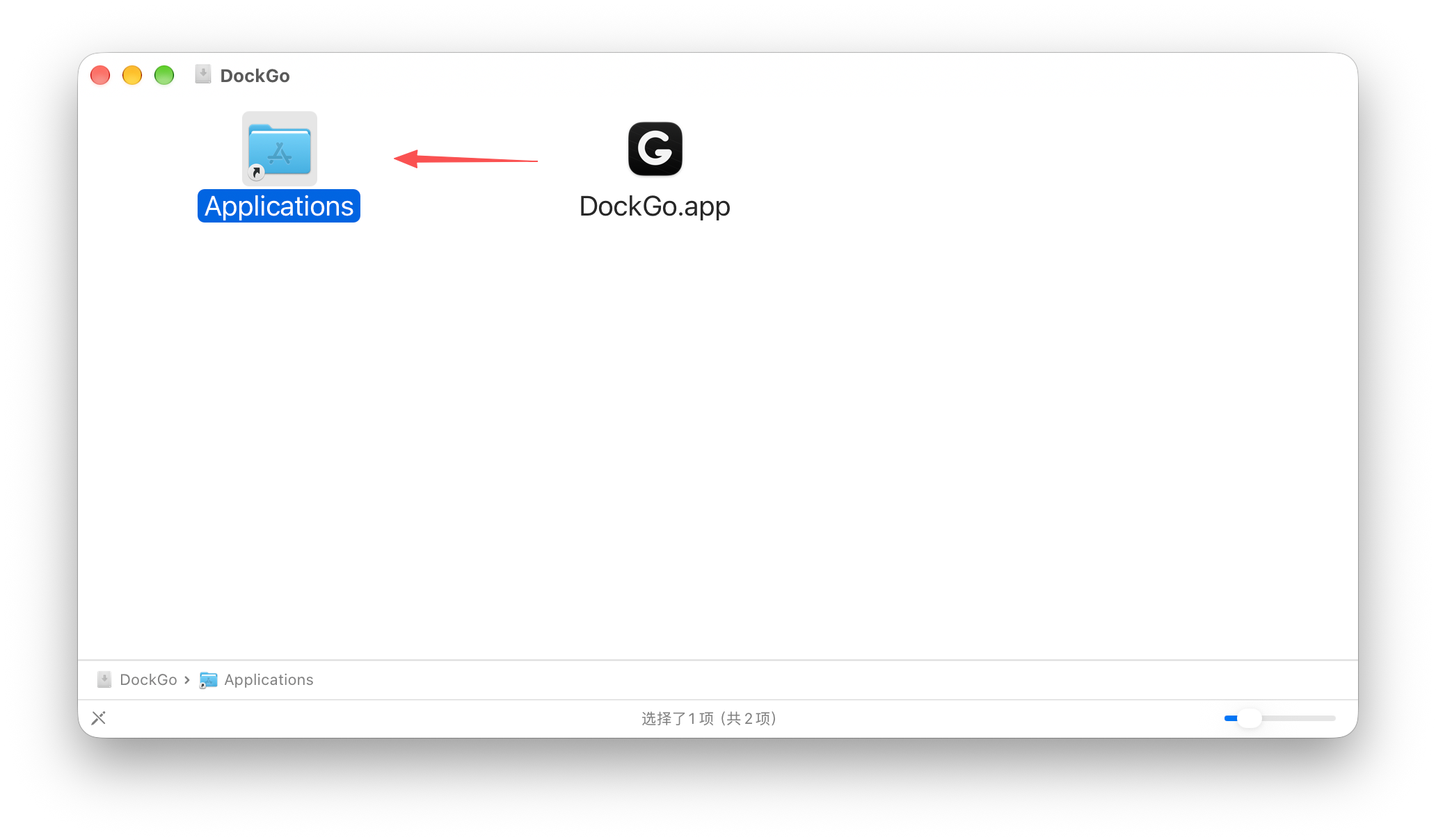
Open the installer and drag into Applications
1
Download DockGo.dmg in step four
2
Double-click to open the installer
3
Drag DockGo into Applications
4
Launch DockGo from the Applications folder
Once dragged in, DockGo stays permanently in Applications.
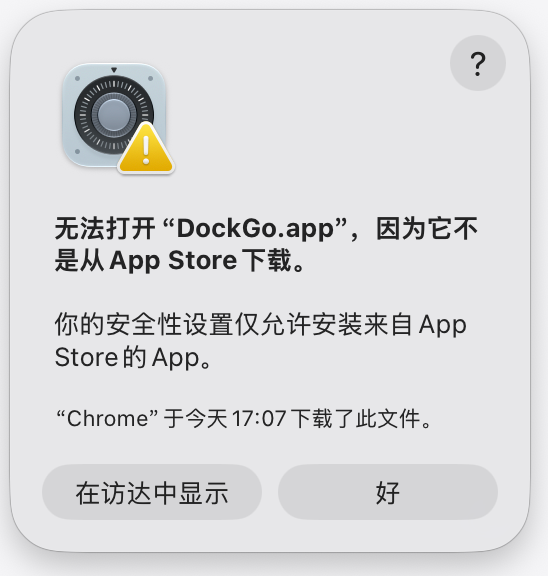
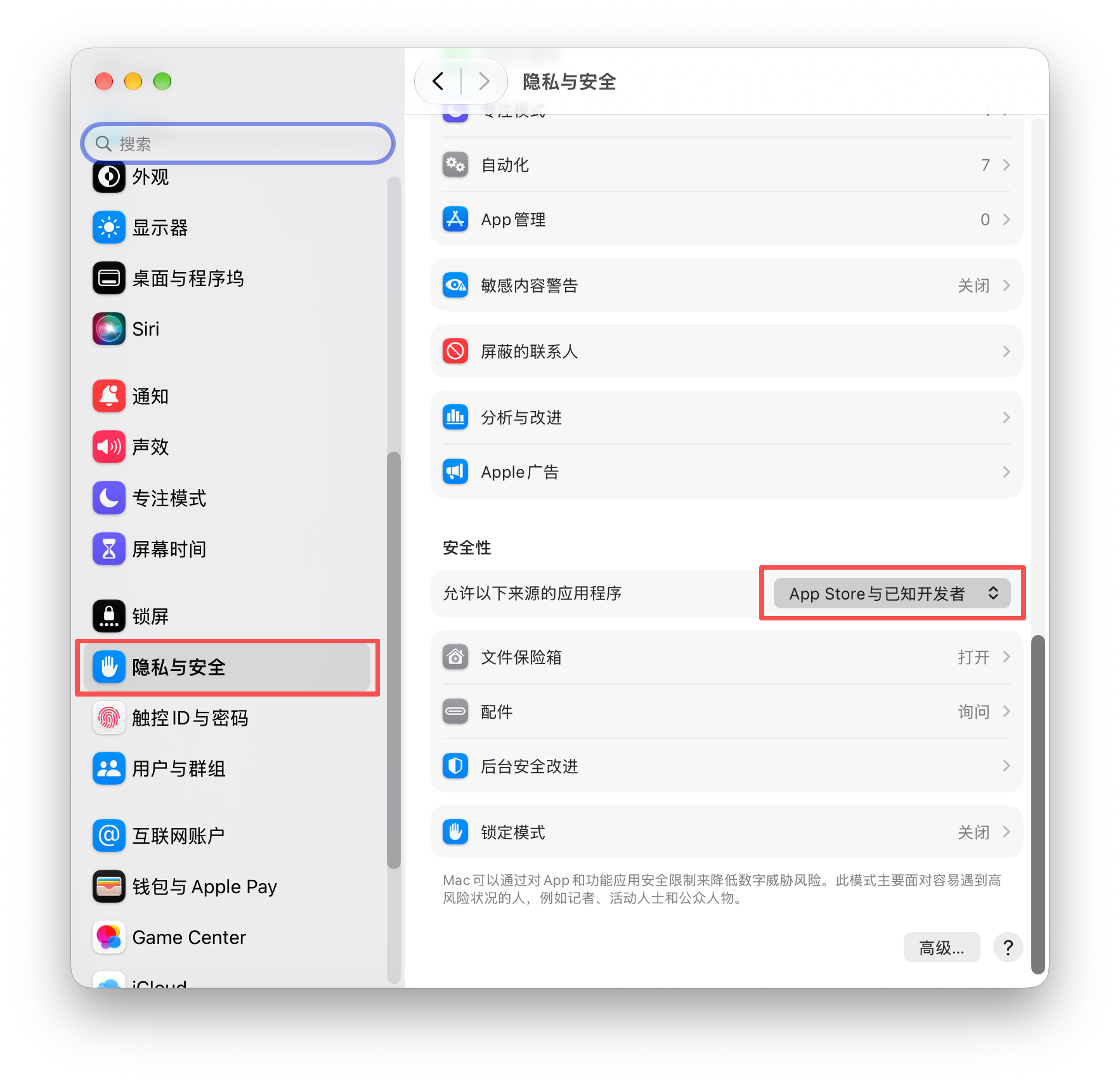
When you see “cannot be opened”
DockGo isn't distributed through the App Store. If macOS says it cannot be opened, go to Privacy & Security and allow apps from identified developers, then launch it again.
1First click “OK” to dismiss the alert2System Settings → Privacy & Security → select “App Store and identified developers”
After changing the setting, go back to Applications and double-click DockGo to open it again.
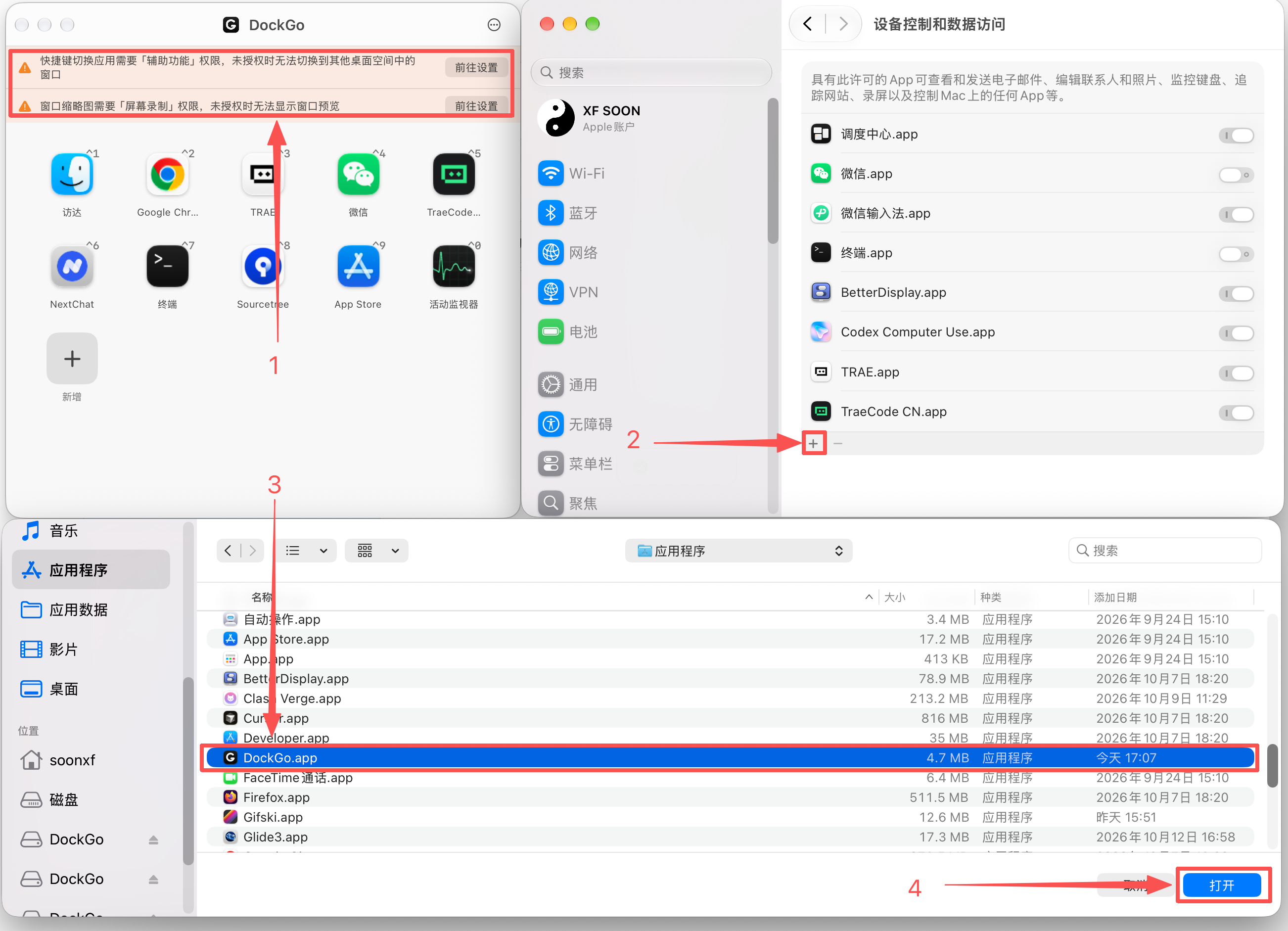
Enable two system permissions
On first launch DockGo shows a permission banner. Click “Open Settings”, then use “+” in System Settings to add DockGo and turn on its switches.
Accessibility · Required
Used to switch apps and activate windows across Spaces.
Screen Recording · Needed for previews
Used for live window thumbnails. Hotkey switching still works without it.
Restart after granting
Quit and reopen DockGo once you're done.
Click “Open Settings” in the banner → click “+” to add DockGo → select “DockGo.app” and click “Open”.
Download the DockGo installer
When the download finishes, go back to step one: drag into Applications → allow opening → enable permissions.
DockGo 0.0.6 · Universal Intel / Apple silicon · macOS 14 and later
Download started. When it finishes, begin with step one.
DockGo License — Purchase & ActivationEnter this Mac’s machine code, choose a plan and complete payment. Your DockGo license is delivered to this device automatically. Payment is processed through official channels and takes effect immediately after success.DockGo License — Purchase & ActivationEnter your machine code, pick a plan and complete payment — your license is delivered to this device automatically.ActiveExpiring soonExpiredLifetime licenseNot licensedLifetime licensedaysLifetimeLoading plans…No plans available right now — please check back laterLicense statusLicense numberThe machine code came from the app — you can buy directlyCloseStep {n} of {total}DoneMenuPayment successful — license issuedOpen the app → Settings → License and refresh to use itWaiting for payment resultOrder cancelledOrder expiredPayment failedOrder numberAmount paidPayment timeLicense numberCopyContinue shoppingRe-check payment statusNo payment result yetResults may take a moment to sync after payment. Check again later, or view the license status in the app.Check againCopied to clipboardCopy failed — please copy manuallyCouldn't get the checkout URL — please try again laterNetwork error — please try again laterChecking payment status…Still no payment result — please try again laterPayPalPay with your PayPal balance, account or credit cardLoading payment methods…No payment method availableAlipayRedirect to Alipay to scan a QR code or sign in to payWeChat PayRedirect to WeChat Pay and scan the QR codeAlipay (YiFuTong)Pay via Alipay redirected through YiFuTongWeChat Pay (YiFuTong)Pay via WeChat Pay redirected through YiFuTongCreating order…